Task
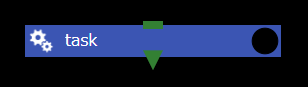
The Task component is the most basic and important component of WHEEL.
Executes the script file set in the script property according to the settings in the execution environment (host/use job scheduler/queue property).
The following properties can be specified for a Task component:
script
Sets the filename of the script to call when the Task component runs.
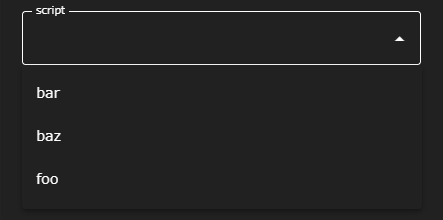
The script property is a select box that lets you choose from among the files in the Task component.
About Task Component Execution Results
The success or failure of the Task component is determined by the return value of the specified script. (0: Normal end, other than 0: Abnormal end)
Therefore, when executing multiple commands in a script, specify the return value accordingly.
host
Select the remote host set in Remote host settings or “localhost” as the script execution environment.
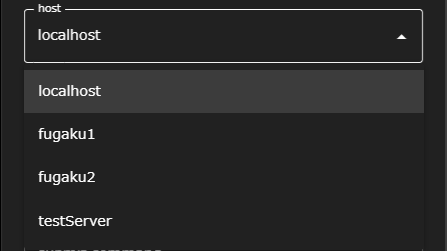
- When “localhost” is selected
script is run on the machine where the WHEEL server is running. - When other than “localhost” is selected
ssh transfers the entire directory to the remote host, and script runs on the remote host. (If use job scheduler is set, as described below, the script is submitted to the batch system as a job script.)
use job scheduler
Enables script execution when it is submitted to the batch system.
The following queue, submit option properties can only be set when use job scheduler is enabled:
- When invalid
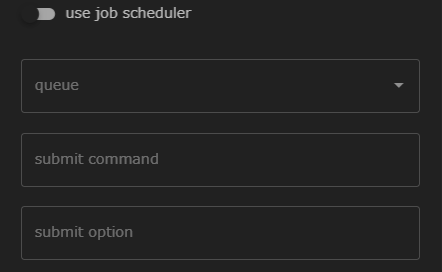
- When enabled
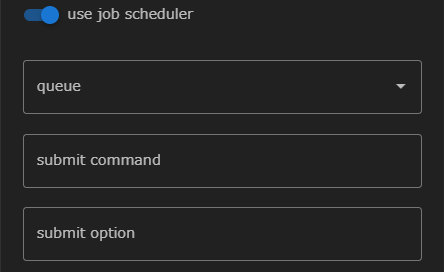
queue
Select the queue in which the job is to be submitted from the queue specified in the remote host settings. If not specified, the job is submitted to the batch system default queue.
submit command
Displays the name of the command used to submit the job to the batch system specified in Remote host settings. Therefore, it cannot be changed here.
submit option
Sets additional options to be specified when the job is submitted.
source script
Specifies an environment configuration file to be loaded before executing the script on the remote host.
The specified script is loaded using the source command.
This is useful when you need to set specific environment variables or use module systems (such as Environment Modules).
Example:
# Contents of setup.sh
module load intel/2021
export MY_VAR=value
checker script
Specifies a dedicated script to determine the success/failure of the Task component. The checker script is executed after the Task component finishes, and its return value (0: success, non-zero: failure) determines the final status of the Task.
When a checker script is set, the return value of the script specified in the script property is ignored, and the checker script’s return value is used instead.
Example:
#!/bin/bash
# Check if output file exists
if [ -f output.dat ]; then
  exit 0
else
  exit 1
fi
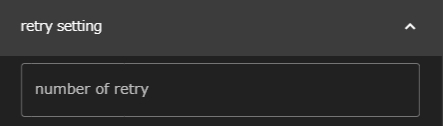
number of retry
Specifies the number of times the Task component automatically reruns if it fails to run. If none is specified, the command is not re-executed.
use javascript expression for condition check
Specifies whether to use a javascript expression or a shell script to determine whether a Task component succeeds or fails.
-
When invalid
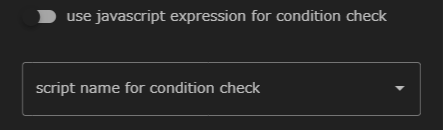
When disabled, a drop-down list appears to select a shell script.
The shell script specified here is executed after the Task component has finished executing, and returns 0 as success or non-zero as failure.
If none is specified, the return code of the script specified in script performs the same judgment. -
When enabled
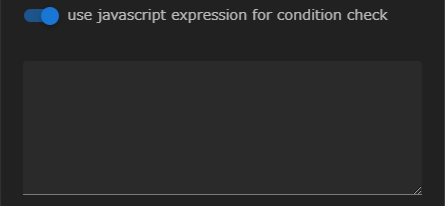
When enabled, you can write javascript expressions.
The expression you enter here is evaluated after the Task component has finished executing, and a Truthy value indicates success, and a Falsy value indicates failure.
If both the script name and the javascript expression are not set and you set only the number of retry values, repeat the retry until the script terminates normally or reaches the number of retry settings.
Available Environment Variables
The following environment variables are available in the script or javascript expression used to determine whether to retry:
- For shell scripts:
WHEEL_TASK_RT - For javascript expressions:
wheelTaskRT
These variables contain the return value of the script specified in the script property. However, if the checker property is set, the return value of the checker script takes precedence.
Example: Retry only if the return value is 10 (shell script)
#!/bin/bash
if [ "$WHEEL_TASK_RT" = "10" ]; then
  exit 0
else
  exit 1
fi
Example: Retry only if the return value is less than 5 (javascript expression)
wheelTaskRT < 5
include, exclude
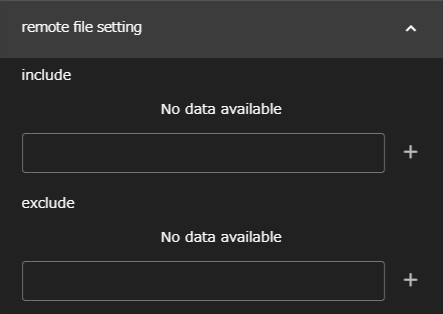
The files generated when the Task component is run on the remote host remain intact on the remote host unless they are required for further processing, such as specified in output files.
Therefore, you should specify in include the files that you want to check for that are not necessary for subsequent workflow processing (such as the log files output by the application during execution). When the Task component finishes executing, it is copied to the WHEEL server and can be viewed in the Files area.
include can be a directory name, a glob (wildcard), etc., but exclude can be used to exclude downloads.
For example, suppose you specify *.txt for include and foo.txt for exclude, and foo.txt, bar.txt, baz.txt are generated at the end of execution.
Only two files, bar.txt and baz.txt, are actually copied to the WHEEL server.
clean up flag
Specifies whether to delete files left on the remote host after execution on the remote host has finished.
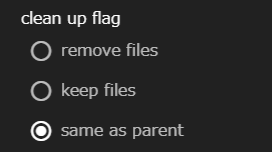
remove files to remove, keep files to save on remote host.
The default setting is same as parent and behaves the same as the upper component setting.
Note that if same as parent is specified for the top-level component, the behavior is the same as if keep files is specified.