While
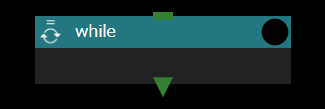
The While component, like the While loop in various programming languages, iterates through the subcomponents while the condition is true.
The properties you can set for the While component are:
use javascript expression for condition check
Specifies whether to use a shell script or a javascript expression to determine whether to repeat the execution, similar to the retry decision for the Task component.
script name for condition check
Select the shell script to be used for condition determination from the drop-down list only when use javascript expression for condition check is disabled.
jacascript expression
Sets the javascript expression used for condition judgment only when use javascript expression for condition check is enabled.
About Referencing Index Values
To use the current index value from a subcomponent during a loop, it can be referenced in the $WHEEL_CURRENT_INDEX environment variable.
number of instances to keep
Specifies the maximum number of directories to keep for each index. If unspecified, all directories are saved.
For details, see While Component Run-time Behavior below.
skip copy
Sets the list of files, directories, or glob patterns to exclude from the copy operation between loop iterations.
Files and directories matching the specified patterns are not copied when WHEEL creates a new iteration directory from the previous one. This is useful for excluding large output files or temporary files generated during previous iterations.
Enter the desired pattern in the input field and click the + button to add it.
Glob patterns (e.g., *.log, output_*, results/) are supported.
While Component Run-time Behavior
The While component behaves similarly to the For component, but uses a zero-based number at the end of the directory name instead of an index value.
Also, the termination decision is not calculated by the index value, but by the return value of the configured shell script or the evaluation result of the javascript expression.
The separator escalation (_ -> __ -> ___) that happens when an instance directory name collides with an existing component, file, or directory works the same way as for the For component. See For Component Run-time Behavior for details.